Turn your mobile device into your game controller
Monect PC Remote is a remote control and game streaming utility application that mirrors your mobile device on your desktop computer, allowing you to use your device as a controller for video games and more by granting you the ability to turn your device into a keyboard, touchpad, gamepad, and more, similar to Remote PC or TeamViewer.
Designed with gaming in mind, Monect PC Remote allows you to play games with specially designed layouts that can be customized as needed. With low-latency screen transmission, you can also be sure there are no delays in casting to your monitor; gameplay happens in real-time on both devices.
Connect your mobile device to your PC
Outside of the gaming world, Monect PC Remote can be used to display your mobile device’s screen on your PC monitor to share with others. Whether it's photos, videos, or simply screen sharing, all files can be accessed with a secondary PC application designed to transmit data and multimedia between devices.
Makes full use of mobile sensors
When gaming, Monect PC Remote continues to use your mobile device’s onboard sensors to provide the optimal user experience. In first-person shooters, the gyroscope sensor will help you aim, while the G-sensor in racing games ensures you can still tilt your phone to steer despite the stable image displayed on your PC monitor.
Monect PC Remote is also especially useful when used to replace the functionality of your PC. With Touchpad mode and a typewriter layout, you can effectively restart or shut down the connected PC or use your phone as a virtual keyboard.
Flexible and adaptable
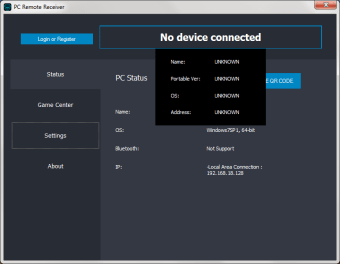
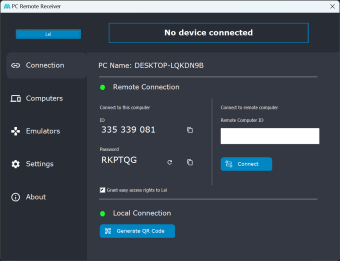
To get Monect up and running, make sure that the app is installed on both your PC and mobile device and that they are connected to the same Wi-Fi network. Open the PC client program, followed by the mobile app, and perform a scan of available devices. Look for the name of your computer on the list and tap on it to establish a connection.
If you're using different internet connections, you can register and log into your account and use the web client to achieve the same result. There are also options to connect via USB or Bluetooth, and the pairing process is essentially the same using their corresponding icons on the app's scan page. As such, Monect allows for all kinds of ways of utilizing it, depending on your needs or situation.
Depending on how you want to use it, you can navigate to the Layout tab to see a list of gamepad presets that you can edit. Alternatively, you can create a custom layout or add a new controller profile to simulate an Xbox console controller. On the flip side, you can also create scripts to simulate PC keystrokes and actions, which is handy for general navigation.
An all-in-one controller app
With a wide range of capabilities, Monect PC Remote is as versatile as they come when compared to other controller apps. Whether you’re gaming, working, or just want to share your screen, Monect PC Remote can do it all fast and effectively. Turn your phone into a controller and enhance the possibilities of both your mobile device and PC.















.png)